Setting Up Home Internet Connection: A Step-by-Step Guide
Are you setting up internet access in your home for the first time? Or perhaps you've recently moved to a new home and need to get your internet service setup. Whatever your situation, setting up a home internet connection can seem like a daunting task. However, with the right guidance, you'll be able to connect all your devices to the internet in no time.
Step 1: Choose Your Internet Service Provider (ISP)
The first step in getting internet access where you live is choosing the right internet service provider (ISP). There are several options available, including cable, DSL, fiber, and satellite internet providers. Each has its own strengths and weaknesses, so it's essential to research and compare plans before making a decision.
Types of Internet Service Providers (ISPs)
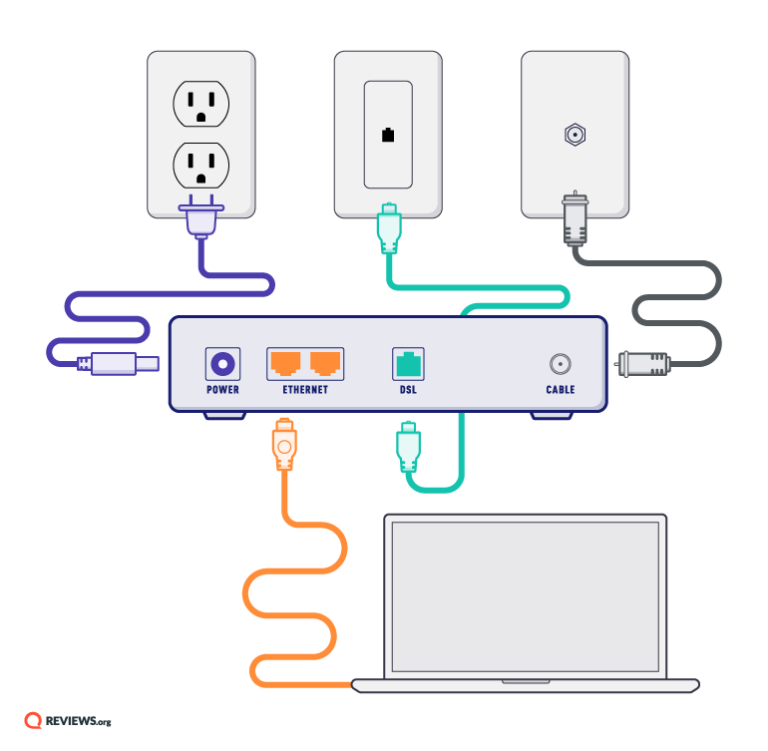
- Cable Internet Providers: These ISPs use the same cables that bring television signals into your home to provide internet access.
- DSL Internet Providers: These ISPs use phone lines to deliver internet access.
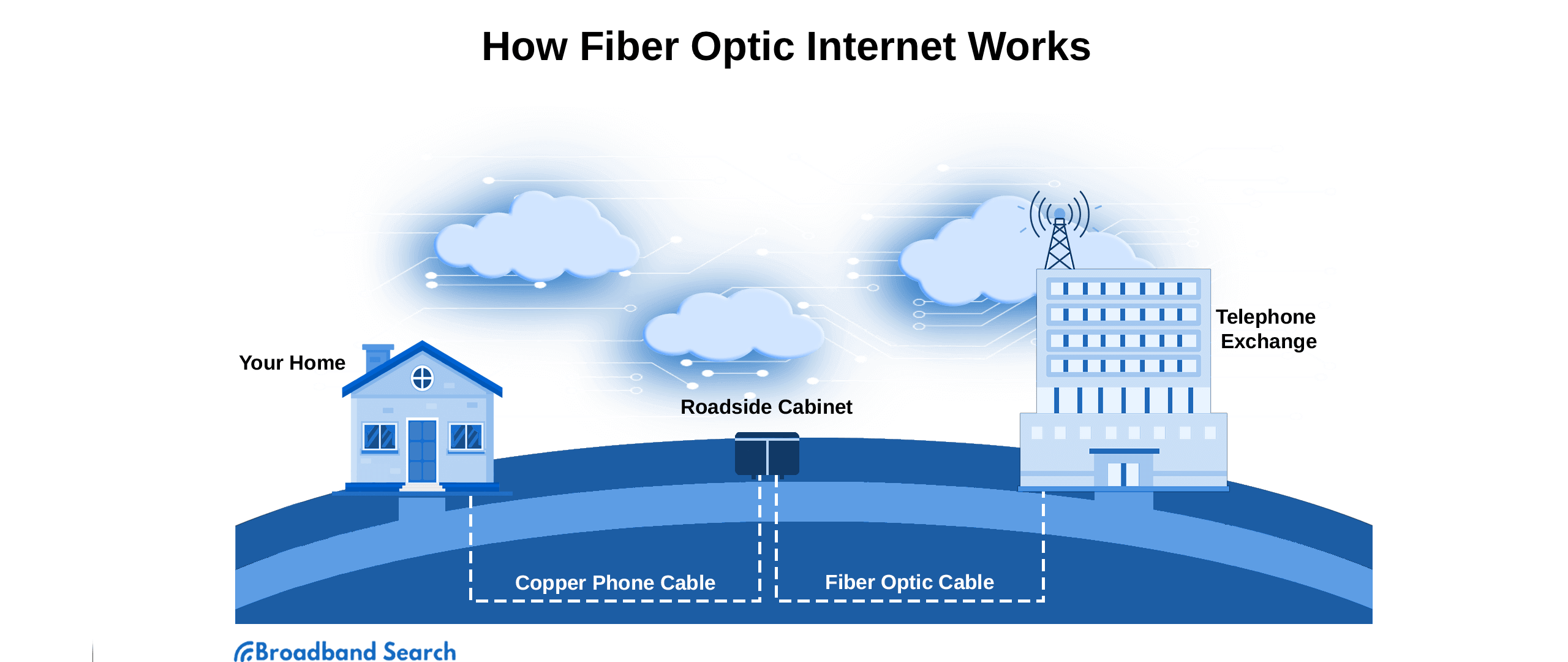
- Fiber Internet Providers: These ISPs use fiber-optic cables to deliver high-speed internet access.
- Satellite Internet Providers: These ISPs use satellites in orbit to deliver internet access.
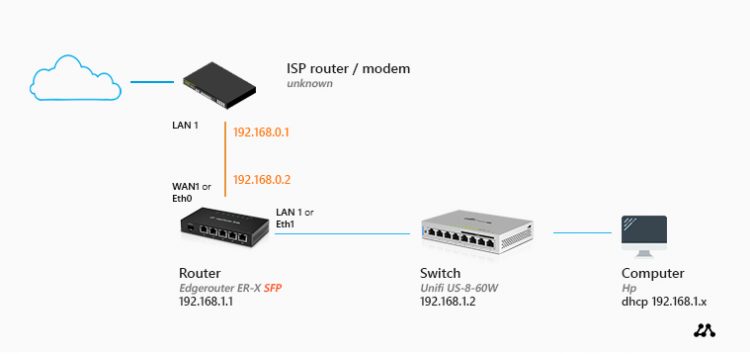
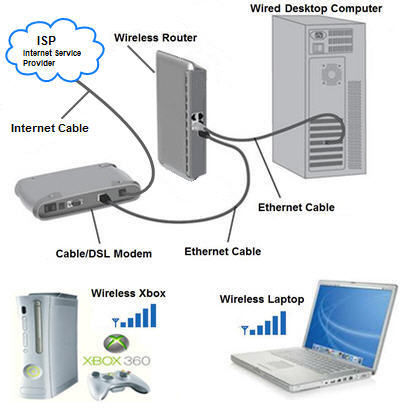
Step 2: Connect Your Modem and Router
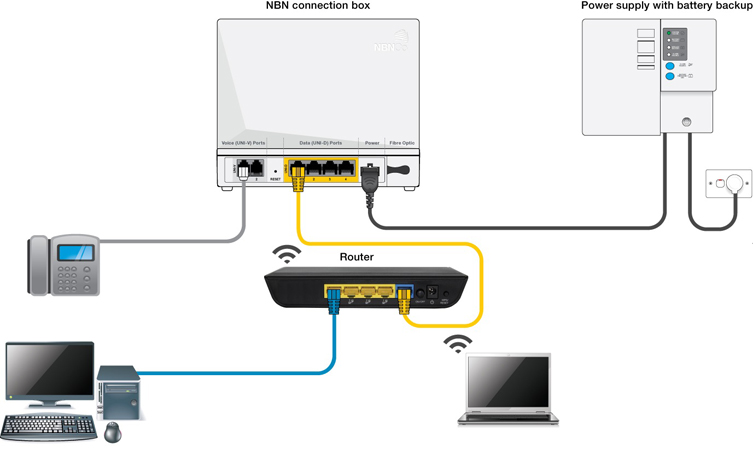
Once you've chosen your ISP, the next step is to connect your modem and router to the wall jack and power outlet. Most ISPs provide a modem and router as part of their service package. However, if you already have your own modem and router, make sure they are compatible with your ISP's network.