Ergonomic Workspace Setups: 10 Essential Tips for a Comfortable and Productive Work Environment
With the rise of remote work and home offices, creating an ergonomic workspace setup has become more crucial than ever. A well-designed workspace can significantly improve your physical and mental well-being, increase productivity, and even enhance your overall quality of life. In this article, we'll explore the essential tips and best practices for setting up an ergonomic workspace that supports your health and comfort.
The Importance of Ergonomics in the Workspace
Chances are, you've heard of the term "ergonomics" before, but do you know what it really means? Ergonomics refers to the design and arrangement of your workspace to minimize the risk of injury and promote comfort. By creating an ergonomic workspace setup, you can reduce the risk of back pain, neck strain, and other musculoskeletal disorders (MSDs) associated with prolonged sitting or standing.
Desk Setup: The Foundation of Ergonomic Workspace
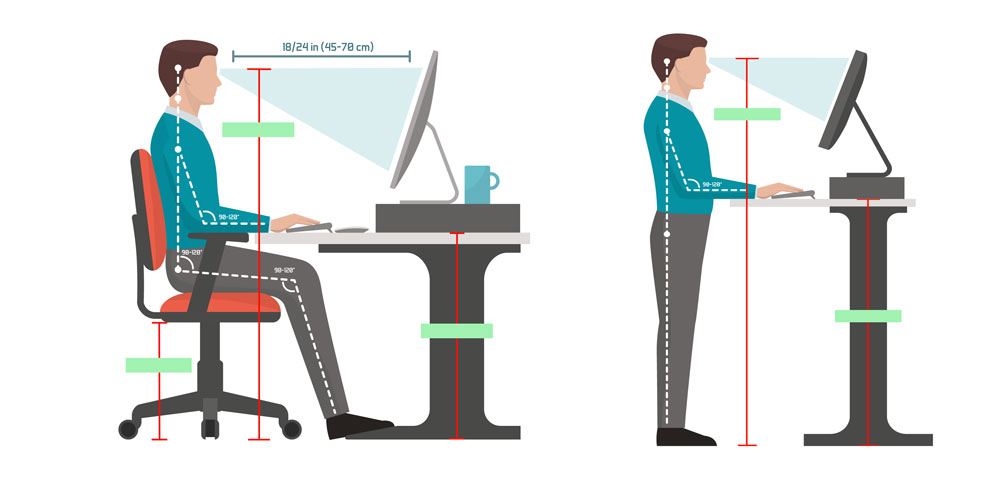
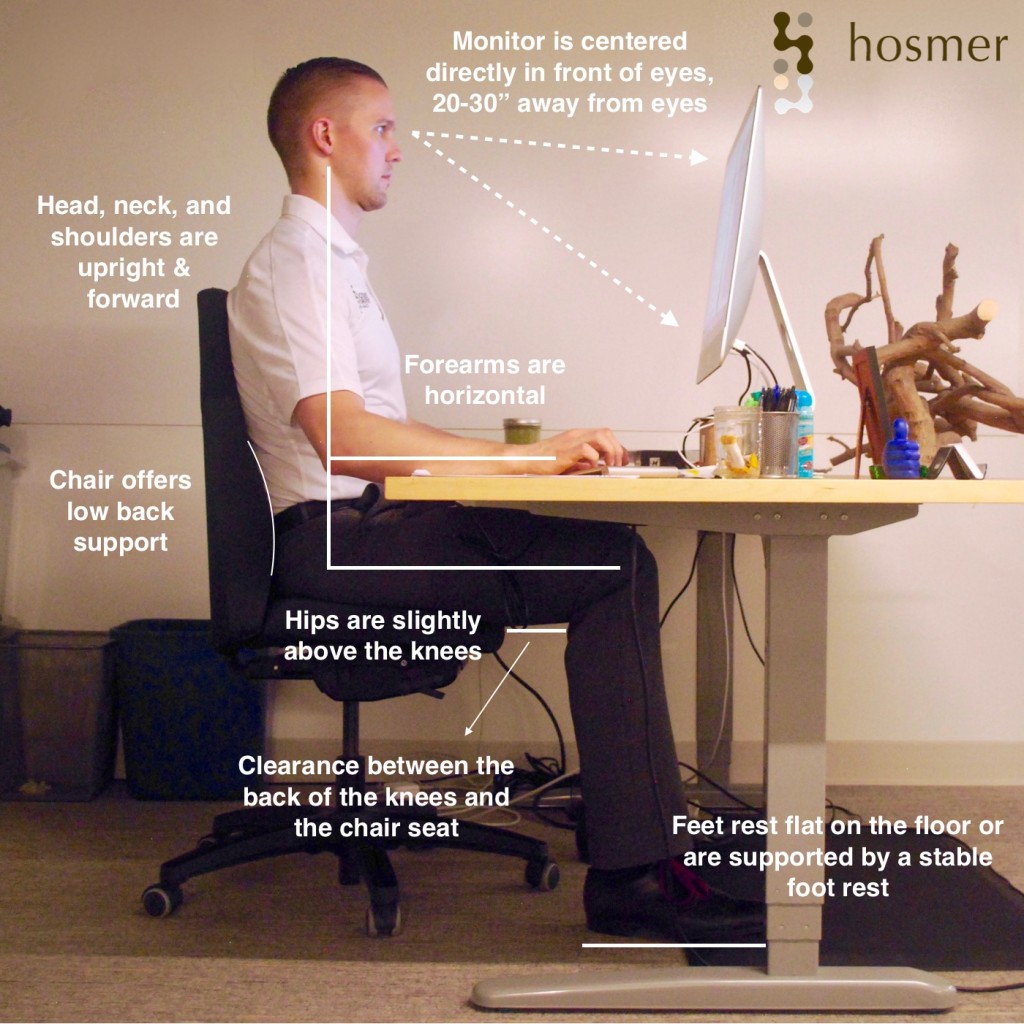
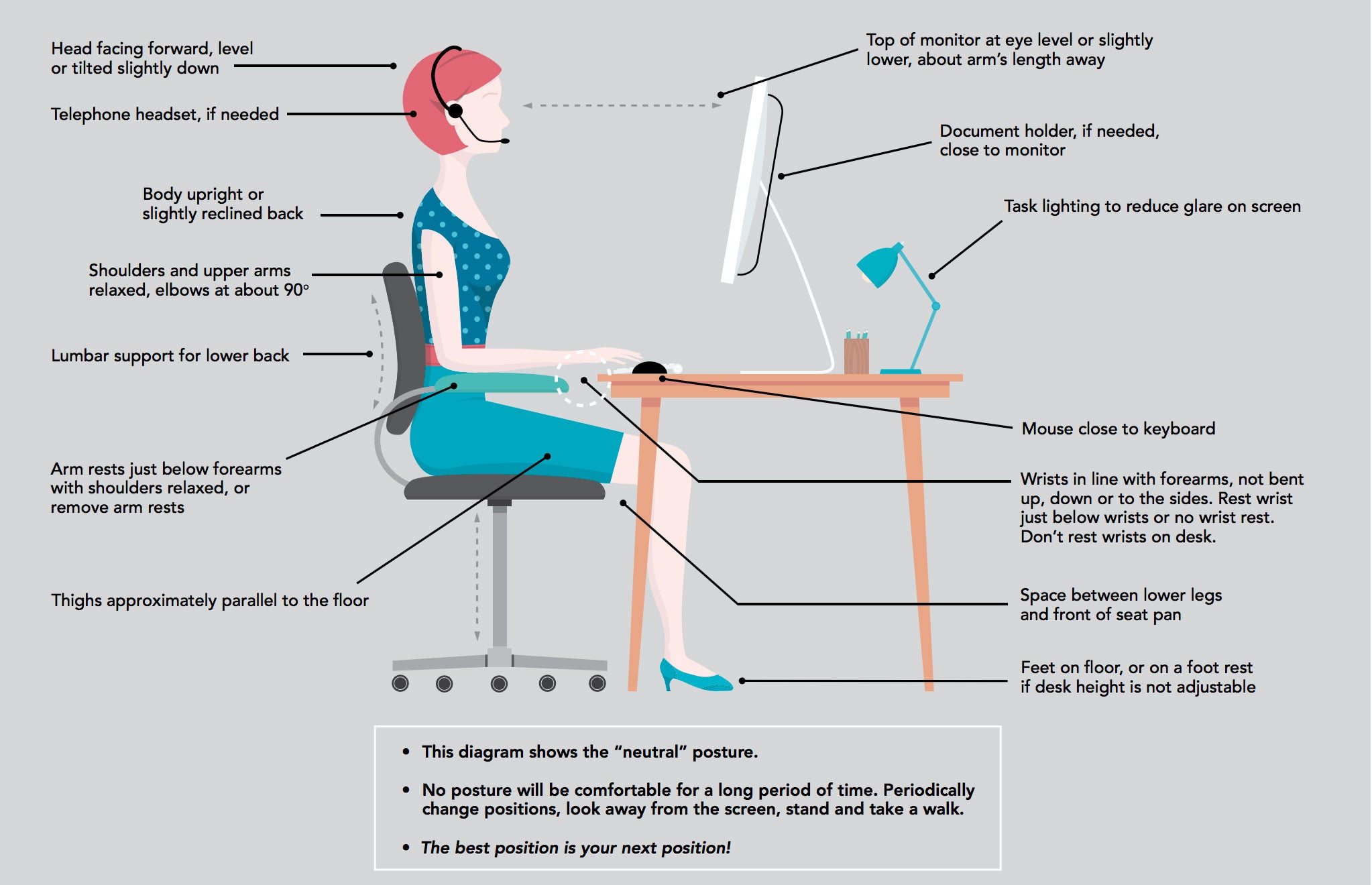
When setting up your desk, the first consideration is the chair. Your chair should provide the foundation for good posture throughout the day. The goal is to maintain a neutral body posture, which reduces stress on your muscles and joints. To achieve this:
- Adjust your chair height to ensure your feet are flat on the floor or on a footrest, with your knees at or below hip level.
- Position your chair close to the desk to prevent reaching forward, which can lead to neck strain.
- Adjust the armrests to support your arms at a 90-degree angle, reducing strain on your shoulders and back.